Yes, in many cases a shopping app can be moved to another Apple or Google developer account through the platform’s transfer process, without publishing a brand-new app. The main caveat is eligibility: the current account, the receiving account and the app itself must meet the store rules. When a transfer is not possible, the fallback is usually a fresh submission under the new account, which brings new identifiers and more migration risk.
Use the official transfer route before you consider a relaunch
Apple App Store: move the existing listing only if the app is eligible
Apple supports transfers between developer accounts, but only when both accounts are active and the app meets Apple’s transfer conditions. That is not the same as broader efforts like migrating an ecommerce app without losing users or deleting the app and uploading it again under another account. If a move fails, the cause is usually App Store Connect status, pending items or account readiness, not the fact that it is a shopping app.
Apple transfer requirements
- Neither account can be in a pending or changing state, and both must have accepted Apple's latest agreements.
- The app must have at least one version released on the App Store.
- Nothing can be waiting for or in review, pending release or on pre-order.
- You need the receiving team's Team ID and the Apple Account of its Account Holder.
Apple transfer steps in App Store Connect
- In App Store Connect, the current Account Holder opens the app, goes to App information, and clicks Transfer App under Additional Information.
- The Account Holder reviews the checklist, enters the receiving team's Team ID and its Account Holder's Apple Account, and submits the request.
- The move completes only when the receiving Account Holder accepts it. A request that is not accepted within 60 days expires.
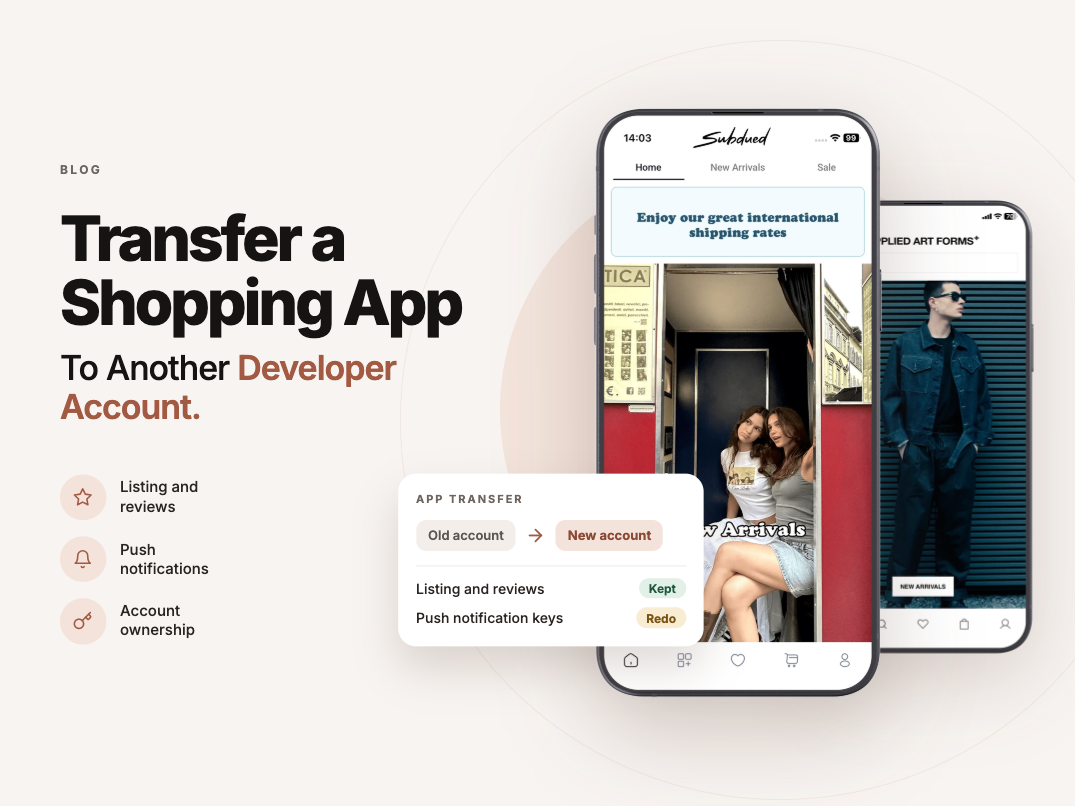
- When the transfer is accepted, the existing App Store listing stays live with its ratings and reviews, rather than being replaced.
Google Play: plan the console move and technical handover
Google Play also allows ownership transfers that keep the existing listing in place. For shopping apps, the console move is only one part of the handover, especially when switching providers for mobile app development services. The new owner may also need control of signing access, release permissions and connected services that support the app behind the store listing.
Google Play transfer requirements
- Both source and destination Play Console accounts should be active and in good standing.
- The app must comply with Google Play policies when the request is reviewed.
- Have the registration transaction IDs of both accounts ready. Hand over the upload key securely: the app's signing keys stay in use after the transfer unless the new owner asks Google to reset them.
Google Play transfer steps in Play Console
- Start the move from the app transfer page in Play Console and complete Google's request form.
- The receiving account owner approves the request first. Google then reviews it and responds within two business days.
- Hand over operational assets separately, such as signing access, APIs or backend tools tied to the current account.
- The destination team should be ready to manage updates as soon as the transfer is approved.
What moves with the app, and what your team must redo
A transfer moves the store listing, but a shopping app also depends on services that are tied to the old account. Plan these before you request the move, or customers can lose push messages or Apple Pay on the day it completes.
Keep users, app access, and core functionality stable during the move
- A standard platform transfer is designed to preserve the listing, existing installs and future updates.
- Store ownership may transfer cleanly, but backend logins, analytics and service accounts still need their own handover. Pay special attention to first-party data from mobile apps.
After any ownership change, run an ecommerce app health check to confirm keys, SDKs, push, billing and tracking still work.
Before you request a transfer: a checklist for the business owner
- Confirm which company is the Account Holder (Apple) and account owner (Google Play) today.
- Ask your current provider for the upload key, the push setup and the list of connected services, such as Firebase (Google's push and analytics service), payments and customer service tools.
- Check that nothing is in review or waiting for release in either store.
- Agree a date with the receiving team, so the next app update ships from the new account.
- Download sales and earnings reports from Google Play before the move.
Fix the blockers that usually stop a transfer
- Check pending agreements, policy issues, review states and account standing first.
- Look for stuck releases, missing acceptance steps or app states that still block eligibility before you contact support.
- Verify Team IDs, certificates, signing materials and other ownership details before escalating.
- Use Apple or Google support after the transfer checklist has been fully reviewed.
If a new listing is the only option, plan for a fresh start
- Treat this as a new submission under the destination account, usually with new identifiers and new account-level signing or certificates.
- A new listing does not carry over the old listing's ratings and reviews, and existing customers need to download the new app.
- Expect more continuity risk than an official transfer, especially for an established shopping app.
- For established ecommerce brands that don't want to build this capability in-house, a specialist ecommerce mobile app partner such as JMango360 builds, launches and grows native iOS and Android shopping apps across any commerce stack. If you are planning a move, talk to an expert about your app and stack before you request the transfer.